Tuesday, November 18, 2008

Norton Internet Security 2009

Key Specs
300Mhz or faster CPU256MB (512MB for Recovery Tool)
200MB
None
Windows XP SP2 or Windows Vista
Review
Review Date: October 2008Security programs can be a bitter pill to swallow. They protect our systems, but they also slow down other applications, interrupt us with confusing alerts, and hide their inner workings behind a cloak of secrecy. Norton Internet Security 2009 tries to minimize these side effects without sacrificing the cure.
Symantec has rewritten or redesigned almost every aspect of the program. A full installation now takes less than a minute, and it occupies nearly half as much memory as Norton Internet Security 2008. The clearest indication that it’s a whole new ball game: the two CPU gauges on the opening screen. One shows the percentage of CPU cycles devoted to the system as a whole, and the other shows the percentage used strictly by the Norton software. On both a 3.3GHz quad-core desktop and a 1.8GHz dual-core notebook, the Norton gauge rarely accounted for more than one or two percentage points. Compared with previous versions, that’s a remarkable achievement. The opening screen also does a better job of showing which features are switched on. And just one level below is a comprehensive settings screen with a broad range of adjustments.
The new update and scan engines are significantly improved. A new Pulse micro-update feature checks for minor updates every 5 to 15 minutes, similar to an RSS feed. If a new virus or malware attack is discovered, you could be protected almost immediately. If your laptop is on battery power, the micro-updates and other background tasks will be delayed until you return to AC power. Similarly, if your computer is set to full screen for a presentation, movie, or game, any alerts will be delayed until you leave the full-screen mode.
Scans are sped up by distinguishing between trusted and unknown files. By tracking the status of every file, Norton Internet Security can limit scans to the files that need to be inspected. How much faster are the scans? With last year’s version, a full scan of a 1.8GHz Lenovo X61s notebook took 24 minutes and 51 seconds. With this year’s, the first scan took 26 minutes and 2 seconds, while subsequent scans took only 2 minutes and 36 seconds. The quick scan option took just 22 seconds with the 2009 version, compared with 1 minute and 16 seconds on last year’s.
Other improvements include extended browser support for Firefox. Browser protection has become protocol-aware to deal with plug-in and multimedia-based attacks. Norton Identity Safe can now import your saved browser logins, and anti-phishing look-ups are performed in real time (as opposed to a static list) to counter drive-by sites that automatically dispense malware.
What’s missing? The Anti Spam component still needs work. It missed far too much spam and mistakenly blocked some valid e-mails in our tests. (Wisely, Anti Spam is turned off by default.) The Parental Controls can’t limit the number of hours a child can use a computer, a staple feature on dedicated parental-control applications. There’s no provision, either through the Parental Controls or Home Network component, to block a teenager from setting up a potentially illegal P2P file-sharing connection. And NIS 2009 doesn’t include the system tune-up features of Norton 360 or Norton SystemWorks, and it doesn’t have the backup features of Norton 360; those suites won’t have the new update and scan engines until their next versions.
All things considered, Norton Internet Security 2009’s smaller footprint, micro-updates, and selective scans represent a major overhaul. Among traditional security suites, it is currently unsurpassed.
Price (at time of review): $69.99

Monday, November 10, 2008
Antivirus Downloads
Avira AntiVir Personal - Free Antivirus 8.2.0.334
AVG Free Edition 8.0 Build 175a1382
Norton AntiVirus 2009 16.0.0.125
Kaspersky Anti-Virus Personal 8.0.0.505 Beta / 8.0.0.454
ESET NOD32 Antivirus 3.0.672
McAfee VirusScan 2007 11
Kaspersky Internet Security 8.0.0.505 Beta / 8.0.0.454
PCclear Antispyware with Free Antivirus 1.0.4.5
Panda Antivirus Pro 2009 8.00.00
Avast! Home Edition 4.8.1256 Beta / 4.8.1229
Trojan Remover 6.7.4 Build 2551
Saturday, October 25, 2008
ADOBE PREMIERE PRO CS4
Capture, edit, and deliver video online, on air, on disc, or on device

Tell your story with maximum impact using Adobe® Premiere® Pro CS4 software, the start-to-finish video production solution that includes Adobe OnLocation™ CS4 and Encore® CS4 software.
DID YOU KNOW...
Adobe OnLocation CS4 and Encore CS4 are included
Adobe Premiere Pro CS4 ships with Adobe OnLocation CS4 for direct-to-disk capture, as well as Adobe Encore CS4 for high-quality DVD and Blu-ray production.
Edit files from the latest tapeless formats, including AVCHD, P2, XDCAM EX and HD, natively, without transcoding or rewrapping. Find sections of content quickly during editing simply by skimming the text rather than scrubbing through video with Speech Search technology. As a student or educator, you qualify for education pricing. See the full list of products available for purchasesVirtually any video format is supported
Speech is searchable
Education discounts are available
ADOBE AFTER EFFECTS CS4
Create motion graphics and visual effects with the industry standard

With Adobe® After Effects® CS4 software, you can create compelling motion graphics and blockbuster visual effects with flexible tools that help save you time and deliver unparalleled creative power.
Use QuickSearch to instantly locate any element or even missing footage in a comp or project; navigate quickly between nested comps using the new Mini-Flowchart. Import 3D models from Adobe Photoshop® CS4, and then bring them into After Effects to composite them with other elements, adjust lighting, and more. Adobe provides end-to-end software solutions to deliver compelling experiences on film, video, DVD, the web, and mobile devices. As a student or educator, you qualify for education pricing. See the full list of products available for purchase.Timelines are searchable
After Effects can import 3D layers from Photoshop
After Effects is part of an end-to-end solution
Education discounts are available
ADOBE DREAMWEAVER CS4


Design, develop, and maintain standards-based websites and applications
Build world-class websites and applications with one of the industry's leading web authoring tools. Adobe® Dreamweaver® CS4 software is ideal for web designers, web developers, and visual designers.
Design your web pages under real-world browser conditions with the new Live View in Dreamweaver CS4 — while still retaining direct access to the code.Migrating from Adobe GoLive® software to Dreamweaver? This training video from lynda.com offers tips on performing common GoLive tasks in Dreamweaver.As a student or educator, you qualify for education pricing. See the full list of products available for purchase.Changes are immediate
Adobe Acrobat Connect Pro
High-impact web conferencing and eLearning

It's dynamic and engaging, easy to use, and always available — that's why Adobe® Acrobat® Connect™ Pro software is a leading solution for web conferencing and eLearning. Seeing is believing, so let's get started
Adobe Photoshop Lightroom 2
Simplify photography from shoot to finish

Adobe® Photoshop® Lightroom® 2 software is essential for today's digital photography workflow. Now you can quickly import, process, manage, and showcase your images — from one shot to an entire shoot. With Lightroom 2, you spend less time in front of the computer and more time behind the lens.
Friday, October 17, 2008
Firefox 3.1 Beta Available For Download

| Categories: |
The first beta of Firefox 3.1 is available for download.
Version 3.1 doesn't seem to have any major improvements, but a large number of potentially noteworthy ones. There is a new version of the Gecko rendering engine that claims improvements in web compatibility, standards compliance, ease of use and performance. There is more support for CSS 2.1 and 3.0 properties.
The Smart Location Bar has support for new characters to restrict searches.
Developers get a lot of new features to use: There are new video and audio elements from HTML 5. There are many additions to the DOM and Canvas and SVG (Scalable Vector Graphics) support.
Thursday, October 16, 2008
Sketch and Toon

RECOMMENDED

There’s no doubt that the main interest of 3D modelling lies in producing photo-realistic output and with Cinema 4D and its Advanced Render module, Maxon certainly delivers the goods. However there is another option. With the Sketch and Toon add-on module for Cinema 4D you can turn your scene into a technical drawing, a hand-drawn sketch or a fully-realized work of art.
And it could hardly be easier. Simply add a new Sketch Material and preview your scene and you’ll see that a cartoon-style effect with strong outlines and simplified shading has automatically been applied. Open the Sketch Material’s main tab and you can then choose from dozens of preset media styles such as air brush, chalk, marker and a whole range of pen and pencil effects. What really sets Sketch and Toon apart is that when rendered, many of these really do look as if they have been hand-drawn by a draughtsman or a creative artist.
Switch Sketch and Toon to Intermediate or Advanced Mode and you can begin exploring how each preset effect is produced and create your own. The level of power and control is awesome. In the Strokes tab for example, you can control whether and how line segments should be joined together into longer strokes. In the Distort and Adjust tabs you can then apply a curve to the stroke and set up offsets, overshoots, transforms and variations to give a more fluid hand-drawn feel to the line. Then in the Colour, Thickness and Opacity tabs you can set these all-important parameters and vary them according to a whole host of modifiers such as distance, position, length along stroke and angle.
As well as setting up the line style you also need to be able to specify where lines are applied and this is primarily done in Cinema 4D’s Render Settings dialog. By default lines are applied to folds, creases and borders but you can also apply them to outlines, materials, edges, contours and so on. You can also set Cinema 4D’s Editor View to display where lines will be applied which is a huge time saver and, crucially, you can also override settings on an object and even polygonal selection level using dedicated Sketch and Toon tags.
The Render Settings dialog is also where you set overall shading. Sketch and Toon defaults to applying a simple quantizing effect though you can also apply a custom colour, background, or a gradient-based simplification. Much greater control and power is provided by Sketch and Toon’s four dedicated shaders. The Cel shader lets you take full control of Manga-style cartoon shading based on custom gradients. The Spots shader simulates halftone spots, or any other shape, based on brightness. The Hatch shader lets you apply any texture as a cross-hatching effect. And the Art shader lets you use an image of a textured and lit sphere that is then applied to an object based on its surface normals and with no lighting necessary.
With Sketch and Toon the level of power and control that Maxon offers isn’t just extraordinary, it’s truly unique.
Flash CS4. Releses.....
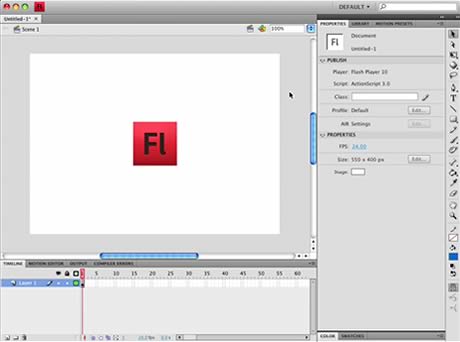
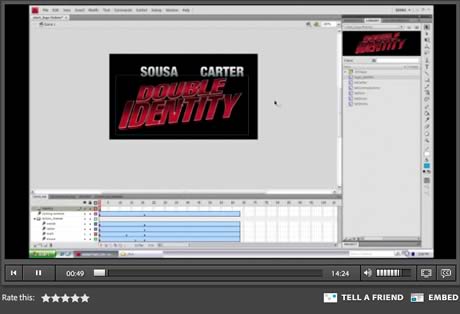
Just found this two Great Video review of Adobe Flash CS4 Feature.
by Lee Brimelow with an in-depth video review of Flash CS4. Some great observations here on the new workspace, and on the timeline’s new features.
Another great review By Adobe Product Manager Richard Galvan.
Acrobat 7

Acrobat 7 focuses on advanced workflows based on its Intelligent Document Platform - but existing users won’t necessarily benefit.
When Acrobat was first launched back in 1993, Adobe had high hopes that the Acrobat PDF (Portable Document Format) would become the universal computer exchange standard and herald the advent of the paperless office. As it turned out the rise of Microsoft Office and the Internet put an end to that dream, but Adobe never gave up on its office-based aspirations. With this latest version and its central role in Adobe’s “Intelligent Document Platform”, Acrobat makes its most determined bid yet to put Acrobat technology back at the heart of office-based workflows.
The secret of Acrobat’s success lies in the freely available and ubiquitous Adobe Reader program, but to take advantage of it you need one of the paid-for Acrobat applications - Elements, Standard or Professional - to create your PDFs in the first place. Key to this, though usually working behind the scenes behind the convenient “Adobe PDF” print driver, is Acrobat Distiller. It’s this essential utility which takes a PostScript-based print-to-disk file from any application and converts it to PDF as an exact electronic replica. Distiller has now been updated to version 7, complete with support for Acrobat 7’s new PDF 1.6 format and a new proposed ISO standard, PDF/A, intended for the archiving of electronic documents. Otherwise there’s relatively little that’s new other than a largely cosmetic revamp.
Distiller remains central to the universality of Acrobat, but for the most important office applications, ie the Microsoft Office applications, Adobe extends Distiller with its PDFMaker capability. This offers one-click PDF authoring direct from the application along with support for extra functionality, such as bookmarks and live hyperlinks within converted Word documents. With each release Acrobat tends to improve its integration with the Microsoft apps and version 7 is no exception with the new ability to convert Publisher publications and multiple Access reports - though surprisingly this new support is limited to Acrobat Standard and Professional (as is all the functionality below).
More regularly useful is the new PDFMaker support within Outlook. Now you can quickly convert selected messages or entire folders to a secure and permanent PDF archive with Acrobat automatically adding bookmarks to enable you to quickly access your e-mails by date, sender and subject. Another nice feature is the automatic inclusion of email attachments and Acrobat 7 now offers a dedicated Attachments pane for handling these. When creating an email you can also now automatically convert an attachment to a 128-bit encrypted PDF for secure communication. And you can set up standard security policies for regular re-use. And combining multiple attachments from different sources into a single correctly ordered PDF report has been made easier with the ability to preview PDFs during assembly. You also have more control when adding headers, footers and watermarks to give your combined PDF report more coherence.
Adobe PageMaker 7

Hardly a major release but the new PostScript/PDF functionality extends the old favourite's shelf-life.

PageMaker was the program that invented the whole concept of desktop publishing way back in 1985. What made the program so revolutionary was the way it took traditional design methods, involving the paste-up of typeset text and screened images, and simply translated them to the computer environment. Ironically the secret of PageMaker's early success became the reason for its later problems as its largely manual approach just wasn't suited to more advanced requirements such as handling longer documents, Web repurposing and scriptability.
Adobe's solution was radical. It stopped development of PageMaker - apart from the almost entirely cosmetic 6.5 Plus - and started again from scratch. The result was the totally new InDesign, a next-generation DTP application intended to take over from PageMaker and to take the fight to Quark XPress. But it didn't turn out quite as Adobe planned. The behind-the-scenes advances in InDesign made little practical difference so, not only did InDesign fail to challenge XPress, very few PageMaker users made the transition either.
So now with this unexpected upgrade has Adobe recognised the reality of the marketplace? Is PageMaker back from the dead with a major transfusion of new blood? Or is this just another cynical attempt to wring as much revenue as possible out of the dying patient?
PageMaker has always recognised that by its nature any DTP application must lie at the heart of a larger workflow incorporating text and graphics from different sources. As such the first advance in the new release is the updating of PageMaker's import filters. For text the most important file format is Microsoft Word and PageMaker 7 now supports Word 2000 documents complete with support for index and table of contents markers and footnotes and endnotes. There still seems to be trouble importing Word styles however so I was forced to fall back on the improved RTF import.
More work has gone into improving PageMaker's support for graphics and especially for files produced with Adobe's own applications. In particular PageMaker 7 now supports files in Photoshop's native PSD and Illustrator 9's AI format. The support for the bitmap-based PSD is relatively unproblematic and means that users can now work with a single image file rather than juggling layered PSD and flattened TIFF versions. Strangely though there is no command to automatically open the placed PSD back into Photoshop.

PageMaker 7 can place native Photoshop PSD and Illustrator AI files.
Support for Illustrator 9's AI files is rather more complicated. To begin with the dialog is actually the same dialog as for importing Acrobat PDF files as Illustrator 9's native format is now PDF-based. However PageMaker doesn't have Illustrator 9's flattening technology so is unable to display or print transparency effects. Looking at the readme file it's not too hot on Illustrator 9's spot colour, blends, gradients or feathering either. Generally it looks as if it's better to stick to the tried and tested EPS route especially as the EPS filter has been updated to support PostScript Level 3 which is essential if you're intending to produce in-RIP separations.
Wednesday, October 15, 2008
Corel VideoStudio Pro X2

Corel have bounced back with their latest release of Corel VideoStudio Pro X2 and, in my opinion, re-stamped their authority on this section of the home video editing software market.
Corel VideoStudio Pro X2 marks what could be described as the first version of VideoStudio wholly developed under the Corel banner. One upside to this, at the consumer level, has been the integration of the discontinued Ulead Media Studio Pro's more advanced features into Corel VideoStudio Pro.
Interface
New in VideoStudio X2 is a more pleasing graphical interface in modern slate grey tones, greater controls over effects with enlarged effects configuration windows, the ability to overlap video's on the timeline so they crossfade automatically and finally the ability to apply transitions to clips in the overlay tracks.
Launching VideoStudio Pro X2 presents you with three choices: VideoStudio Editor, Movie Wizard, and DV-to-DVD Wizard. The Movie Wizard and the DV-to-DVD Wizards do exactly as they suggest taking you through a simple point and click automated process for creating you movie or DVD. It offers a good range of themes and templates and is a simple solution for those who have no great interest in the tedium that is video editing! In the VideoStudio Editor you can choose between four different layouts and can resize each component of the layout as you choose. In the VideoStudio Editor seven tabs line up across the top of the interface in the approximate order you would follow in a normal editing process. 1.Capture 2.Edit 3.Effect 4.Overlay 5.Title 6.Audio and finally 7.Share which covers all types of final output. It's a very intuitive layout that walks you through your project but is flexible in that switching from tab to tab or function to function is seamless. As an added benefit the preview screen in VideoStudio X2 is still one of the biggest in the business and is a godsend when doing finicky work without having to squint for hours at a computer screen.

Special Effects
The big news here is the addition to VideoStudio Pro X2 of Painting Creator. This an advanced tool that allows you to draw over a frame or video and have the results appear as an animation or still image. You can draw things like an animated arrow that is pointing to someone in the video and moves with them or a whole host of other applications. The only limit with this new tool is going to be your imagination. Picture-in-picture effects have been greatly improved allowing video to play within a frame that can be a simple shapes. You can add a border and adjust its thickness and color to your liking. Green or blue-screen special effects (Chroma Key) has been a feature of VideoStudio for some time now and remains as a feature. It performs very well in VideoStudio Pro X2 as it has done in previous versions.There are corrective effects for color, brightness, and backlighting which all work well. As with many video editing packages now there is a motion correction feature to clean up any shakey shots you may have. None of these consumer level anti-shake filters will produce miracles and all will induce some degree of picture degradation in reducing the motion. VideoStudio Pro X2 is no exception and I would rate this feature as no better or worse than anything else around in its class.VideoStudio Pro X2 has increased the size of the effects configuration windows so that the ability to use unlimited key-frames is actually a reality. Previously the windows were so small it was nearly impossible to do very fine work. This is no-longer the case with the configuration windows being able to be enlarged to almost the full size of the screen. This all a considerable improvement and is combined with the ability now to switch the effects on and off for comparison purposes.The titling tool remains pretty well as it has in past versions although VideoStudio X2 has added a second titling track to the timeline and a few more preset title animations. More importantly it now lets you insert a customizable image or backdrop behind the title text to make it more readable.
Review
Overall VideoStudio Pro X2 remains at the forefront of the consumer level video editing software market. It offers the widest possible range of input and output formats and handles them very well. The program has been juiced up to take advantage of modern processors yet has been kind enough to have a feature (proxy editing) to help those of us that are resource challenged! Despite getting a rude wake up call from PowerDirector 7 this year Corel has maintained it's advantage.VideoStudio Pro X2's final "ace in the hole" is not part of the program itself. It is actually the User to User forum run by Corel and manned by VideoStudio users themselves. Whilst it could be said that the "new" customer support is, in fact, these forums, in the case of VideoStudio this is very true. It is one of the most active forums on the internet both for problem solving and sharing of ideas. It is manned by many but the core of the forum is a group of about 10 people spread out in time zones all over the world and they represent a vast storage of both knowledge and experience. There is nothing forbidding or elitist about the board and is place where good manners and the spirit of helping others prevail.
Tuesday, October 14, 2008
AutoCAD - 09

AutoCAD® software lets you design, visualize, and document your ideas clearly and efficiently. With AutoCAD 2009 you’ll move to new highs of productivity. New features help conceptualize and visualize designs, accelerate tasks, and allow commands to be easily found.
If you haven’t looked at it in a while, now is the time to check out AutoCAD software. From powerful 3D modeling through robust documentation and visualization tools, AutoCAD 2009 is packed with 2D and 3D CAD functionality to help you shape, expand, and visualize your ideas.

NEW: AutoCAD Architecture 2009 + VisionREZ Plug In
3ds Max Autodesk ®

Create stunning 3D in less time with Autodesk® 3ds Max® software. This full-featured 3D modeling, animation, rendering, and effects solution is used to produce top-selling games and award-winning film and video content. Those looking to quickly and efficiently generate convincing characters, seamless CG effects, or jaw-dropping games will want to explore this latest release of the software.
Formerly known as "3D Studio," 3ds Max is a 3D modeling, animation and rendering program from the Media and Entertainment division of Autodesk, Inc., San Rafael, CA www.discreet.com). Widely used in the areas of interactive games, visual effects for movies and industrial design models, the software lets you create 2D shapes that become the cross sections of the 3D models. The application includes an animation module that uses inverse kinematics, which links components so that they move together, adding to the effect of bringing a character to life. 3ds Max carried Autodesk's Discreet brand name until 2005. See Character Studio.
Photoshop CS4
What’s new in Photoshop CS4 by Martin Evening

Photoshop CS3 had some mixed reviews. It didn’t have quite as many features of interest to photographers as say, previous versions of the program. I think such responses may also have been influenced by the introduction of Lightroom 1, which was definitely designed with photographers in mind. It is probably fair to say that there was a certain amount of envy among the Photoshop team to the ‘new kid on the block’. Well, Photoshop CS4 has arrived, hot on the heels of Lightroom 2 and it’s time to see how the new version of the ‘mother ship’ program shapes up.
As far as Photoshop CS4 itself goes, I think photographers will be very pleased with some the new changes here. Photoshop now has a smart dark gray interface and adopted a task-based approach to image editing and this can be seen in the way image adjustments are now accessible within their own panel. When you combine this with the ability to non-destuctively edit a layer mask, you’ll discover that the Photoshop CS4 image editing system offers the most flexible yet for pixel image editing.
My CS4 verdict
Apart from these few niggles I would say that Photoshop CS4 is an excellent upgrade, not just for the features I have listed in Photoshop Camera Raw and Bridge but for lots of other significant little changes to the program. Whatever your interest in Photoshop this is in my view, an essential upgrade.


The above examples are highlights taken from the forthcoming Adobe Photoshop CS4 for Photographers book by Martin Evening, published by Focal Press (no release date can be given yet). This edition has been revised to provide detailed coverage of all the essentials in Photoshop plus what’s new in CS4. This edition is the biggest revision yet, with many more new image examples and provides greater detailed analysis of all the key areas of Photoshop that should be of interest to photographers.
A second book in the Photoshop for Photographers series is also planned, titled ‘The Ultimate Workshop’. This is a book co-written by Martin Evening and Jeff Schewe. It will mainly be a techniques book in which Martin and Jeff guide you through some of their favorite Photoshop techniques for intermediate to advanced users of Photoshop
Adobe Photoshop CS4 for Photographers
704 pages + DVD
Publisher: Focal Press
ISBN: 9780240521251
Price $49.95 / £29.99
The Ultimate Workshop
(Page number to be confirmed) + DVD
Publisher: Focal Press
ISBN: 9780240811185
Price $49.95 / £28.99